
🛡️ Security Warnings
TizonaHub has some security concerns you should be aware of:
⚠️ SmartScreen Warning on Windows
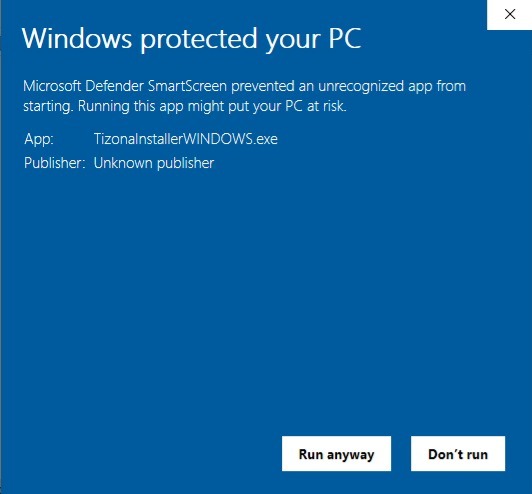
When installing TizonaHub on Windows, you may encounter a security message from Windows SmartScreen, stating that the file "might be harmful". This happens because the installer is not digitally signed, which is common for independent or open-source projects. If you downloaded TizonaHub from this official website, you can trust the file is safe. To proceed with the installation:
- Double-click the downloaded file.
- When the SmartScreen prompt appears, click "More info".
- Then click "Run anyway".
🔒 Compatibility with MySQL and the authentication method:
Since MySQL 8, the official MySQL installer creates the root user using a more modern method called caching_sha2_password. This new plugin offers better security but is not compatible with several common connectors, which prevents proper connection even if the password is correct. You will likely need to make some configurations, whether you're following the installer guide or already have a configured database.
This method is perfectly safe for private environments or local networks, which is the context TizonaHub is designed for. It is not recommended for servers exposed to the public Internet, but it poses no risk when used within a corporate or home network following good security practices (strong password, protected ports, etc.).
👁️ The system administrator can view the contents of private directories
Although the contents of private directories are hidden from other users within TizonaHub, the system administrator (i.e., the person with full access to the server at the operating system level) can access those files. This is because those directories are stored on the server's file system, and the administrator has permission to read them outside the TizonaHub interface.
They will not see other users’ private directories from within their TizonaHub account, but they can access them directly from the operating system. Therefore, you should only upload sensitive files if you trust the person managing the server.